For producers who mix their own records in Ableton Live
I taught it to mix like a 20-year engineer.
It reads your session, tells you what's fighting, what's too loud and where the pops are, then makes the moves in your own Ableton devices. You make the call.
Runs on your Mac. Nothing leaves it. Try it for 14 days.
Press a dot to see what each part does
MIXSTEIN
Ask
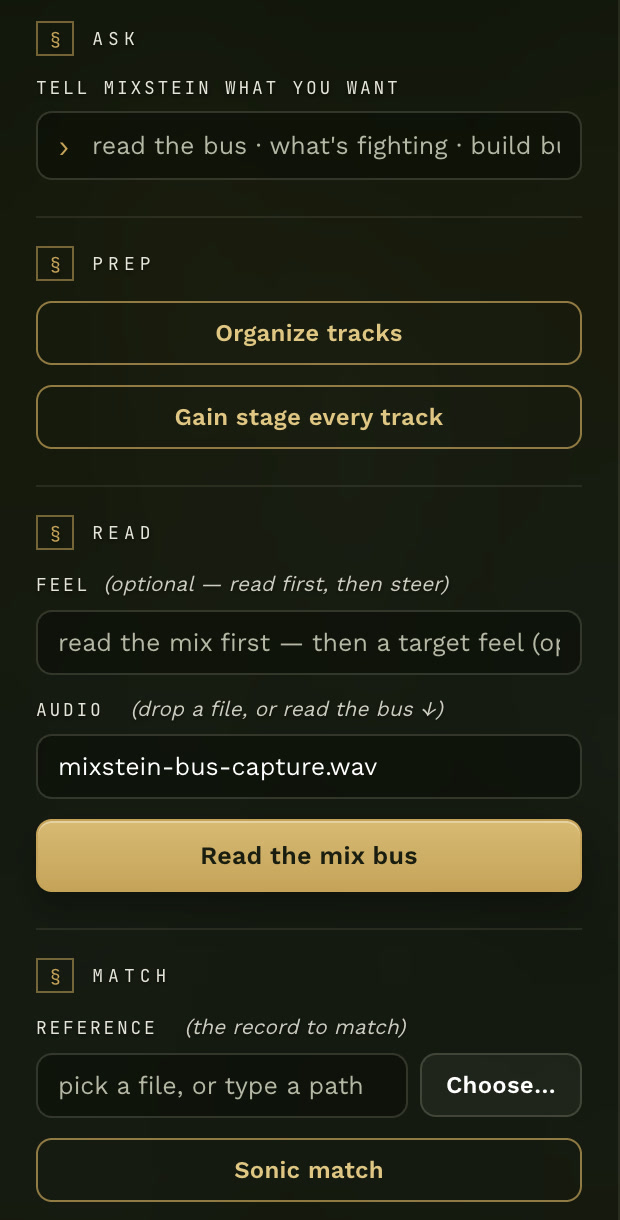
Tell it what you want in your own words, like “read the bus” or “what’s fighting”.
Prep
One press organizes your tracks: colors them by role and renames the junk names. Another gain stages every track.
Read
Reads your mix bus and tells you what it hears. Add a feel if you want to steer it.
Match
Name a record you love. It measures your mix against it, loudness-matched, band by band.
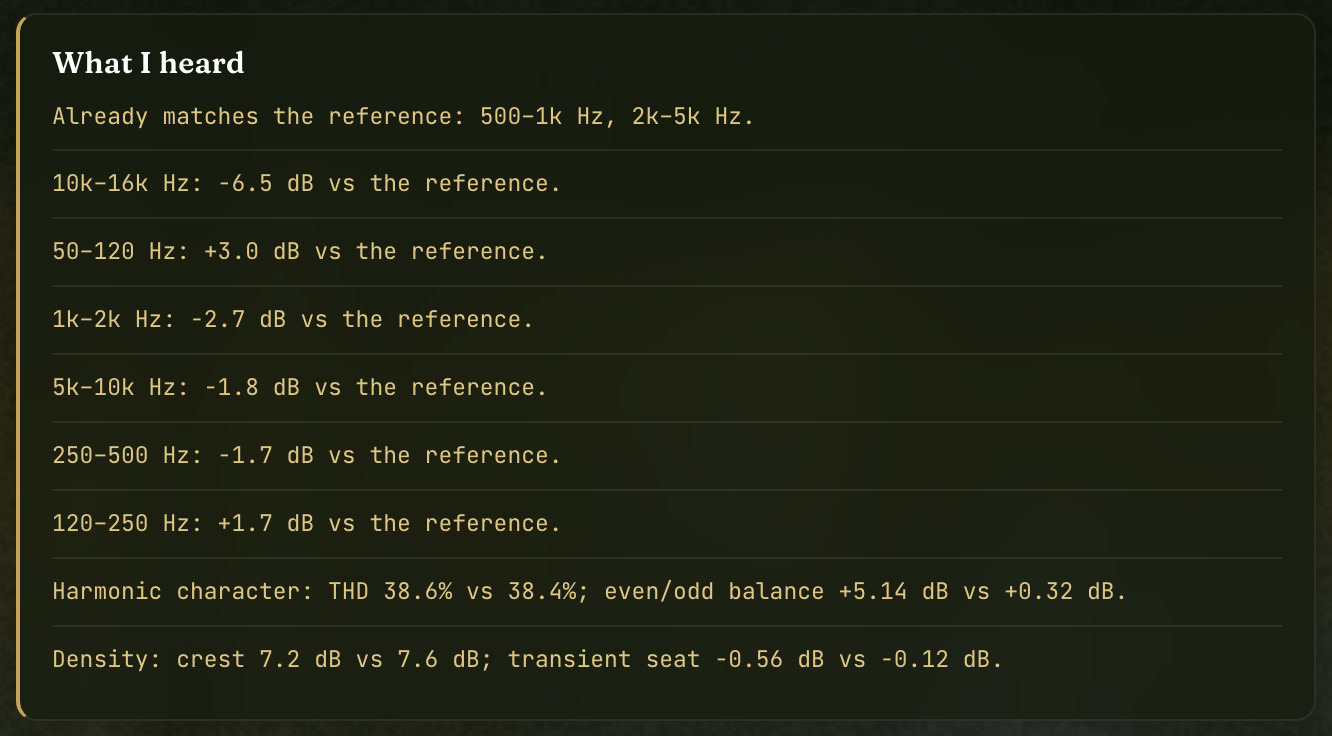
What it heard
The read. Where your mix sits against the reference, in dB, before anything gets touched.
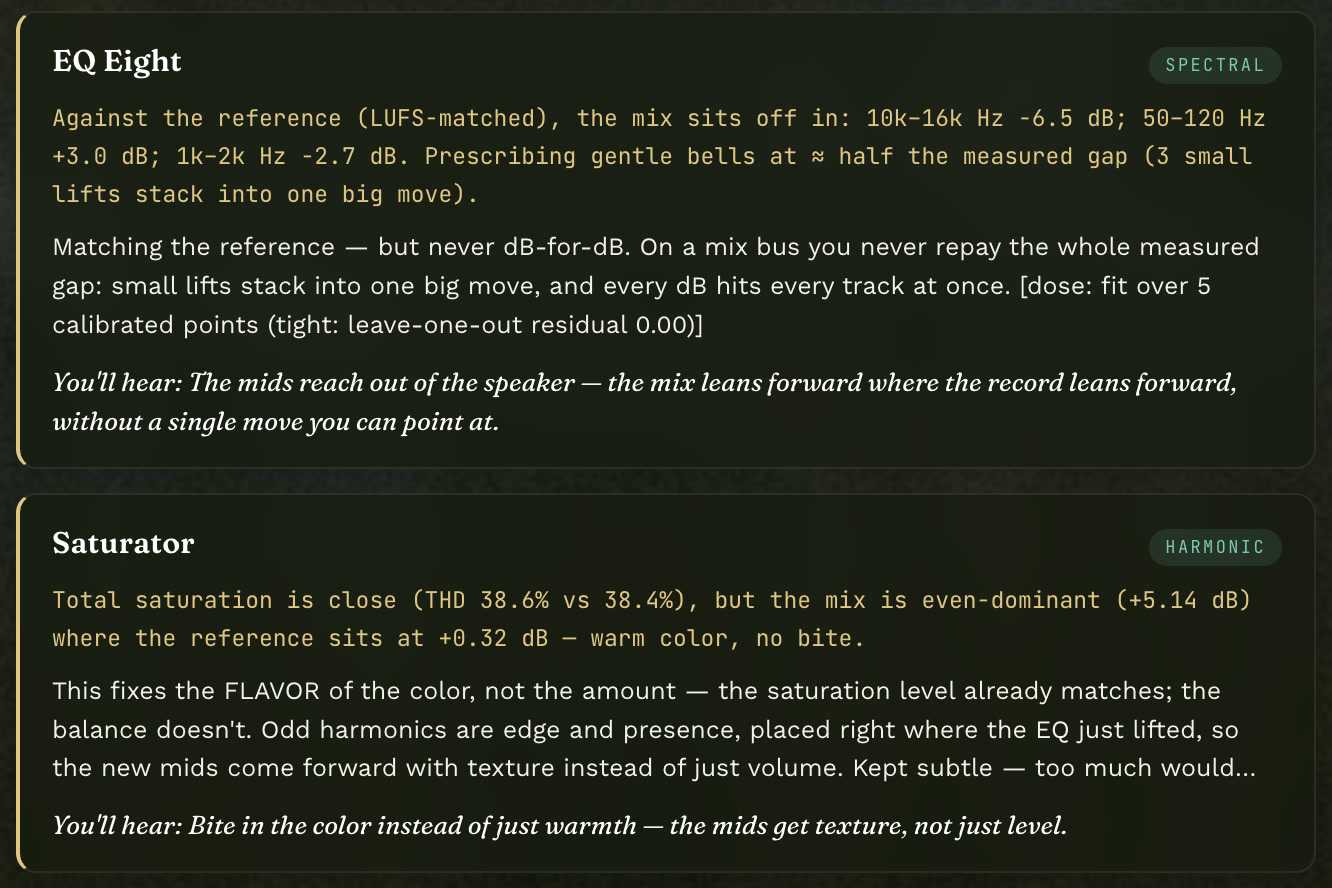
The move, and why
Each move comes with what it heard, why this device, and what you’ll hear after.
Tap the picture to see it up close
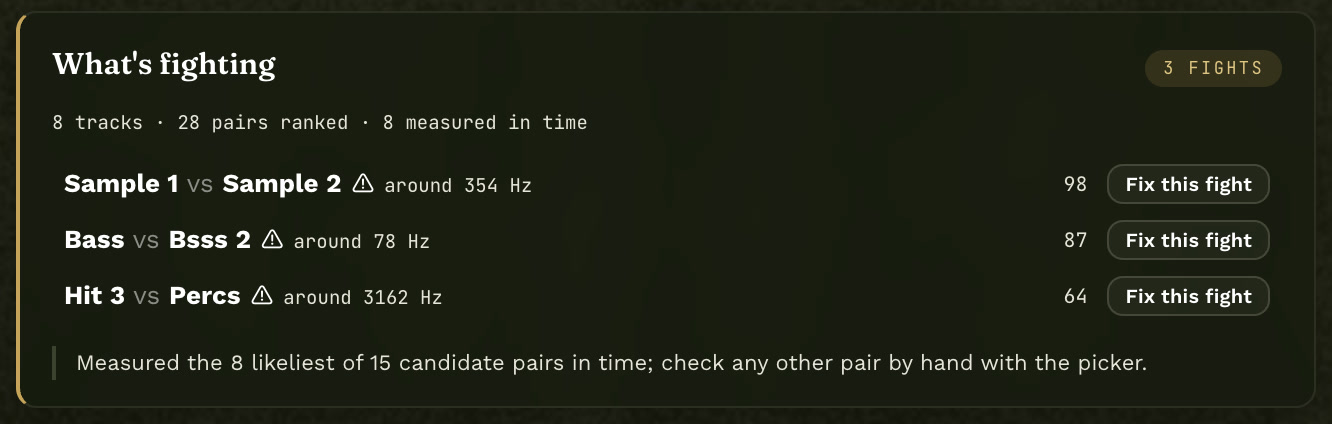
5 fights.
Named, with the frequency where two tracks collide, across 21 tracks, before you touch an EQ.
16 of 18.
37 cuts on one vocal. It found 16 of the 18 my hand made, within milliseconds.
The why.
Every move comes with what it heard, why this device, and what you'll hear.
Chromesthesia
It reads in color, too.
I've had chromesthesia my whole life: sound arrives as color, and it drives real mixing decisions. MIXSTEIN was taught that way, so the Box paints what it hears while it reads. Not decoration. The same read, in the language I actually think in.
Behind these words: a real read, painted by the Box. Air at the top, low end at the bottom.
What it does
It reads. It says why. It moves.
Every plugin hands three different vocals the same five numbers. MIXSTEIN measures your session first, then makes the move in Ableton's own devices, on your track, where you can see and change it.
The read
It measures your mix against the record you name.
Loudness-matched to your reference, band by band, in dB, with harmonic character and density. You see exactly where your mix sits off before anything gets touched.
The why
Every move comes with the reason.
What it heard, why this device, and what you'll hear after. Then it makes the move in Ableton's own devices, on your track, where you can see and change every setting.
What's fighting
It tells you which two tracks collide, and where.
It sweeps every pair in the session and names the fight and the frequency, so you know what to fix before you reach for a plugin.
The controls
One window. One press each.
Tell it what you want in your own words, or press the button.
Organize tracks
Gain stage every track
Read the mix bus
Sonic match against a record
Find what's fighting
Tame plosives and esses, strip silence
Why I built it
I cut my hand open, and I almost quit.
Christmas 2025 I cut my hand on a sword I'd bought my son. Surgery in January. For months I couldn't mix the way I always had, and clients started leaving.
So I rebuilt how I work. I sat down with AI and taught it how I hear: what I cut, what I leave alone, and why. That became MIXSTEIN. It's built from twenty years of mixing other people's records, and it has to be able to say why before it touches anything of yours.
TouchTone
Try this first
Will it run on your setup?
Three questions, ten seconds. Today MIXSTEIN runs on Ableton Live with Apple Silicon Macs. If yours isn't covered yet, you'll hear the day it is.
One MIXSTEIN. Everything in it.
Own it once. Or rent it until it's yours.
Own it
Pay once and it's yours. The price is on the buy page.
Rent to own
Pay monthly until it's yours, then it's yours for good.
Try it on your own sessions for 14 days. Not for you? You get your money back. Founders: your price holds and your link still works.
The airgap
No key. No account. No cloud.
No API key
The engine is mine and runs on your Mac. No token bill while you mix, and nothing breaks when some AI company changes its pricing.
No account
Download it, install it, mix. Nobody's server has to be up for your session to open.
Nothing leaves
Not your audio, your session or your prompts. Your unreleased records stay on your drive. That's the feature, not a compromise.
See it work
The video that started this.
Quick questions
What does it cost?
One MIXSTEIN, two ways to pay: own it once, or rent it until it's yours. The prices are on the buy page, with 14 days to try it.
Does it mix for me?
No. It reads the session, tells you what it heard and why, and makes the moves an engineer would make, in your devices, where you can see and change every one. You decide.
Why does it paint colors?
Because I hear in color. Chromesthesia: sound shows up as color, and it has driven my mixing decisions my whole life. MIXSTEIN learned that alongside the numbers, so when it reads your mix, the field behind the controls paints what it heard. The numbers are still there for anyone who wants them.
Windows? Logic? Studio One?
Not yet. Today it runs on Ableton Live 12 Suite, or Standard with Max for Live, on Apple Silicon. Email contact@touchtonedsg.com and you'll hear the day your setup is ready.
Do I need an API key, a login, or internet?
None of the three. The engine runs on your Mac and nothing about your session leaves it.
What can't it do yet?
MIDI tracks aren't read yet, audio tracks are. There's no back-and-forth chat yet: you ask once, it answers and acts. One DAW first. Linux isn't planned.
What if I get stuck installing?
There's an install page with a video, and one pinned thread in The Board Room where every question gets answered in public, so the next person doesn't have to ask.